
Every day, over 2.5 billion people around the world reach for a mug to start their morning—whether it’s for coffee, tea, or hot cocoa. But how many of those mugs have designs that fade, peel, or fail to capture what truly matters? If you’ve ever struggled with blurry prints, incompatible materials, or designs that look “cheap,” you’re not alone: 78% of mug enthusiasts cite “print durability” and “design clarity” as their top frustrations (Mug Trends Report 2024). This guide is your ultimate how-to manual: we’ll break down what designs work best on mugs, demystify key mug facts you need to know, and solve 9 common printing pain points—so you can create or choose mugs that look stunning and last for years. As Steve Jobs once said, “Design is not just what it looks like and feels like. Design is how it works.” And when it comes to mugs, great design + reliable printing = a daily joy that never fades.

What Designs to Print on Mugs (Top 5 Categories That Resonate)
When it comes to mug designs, the goal is to balance personalization with practicality—after all, a mug is both a functional item and a statement piece. Here are the most popular (and long-lasting) design categories, plus how to avoid common pitfalls:
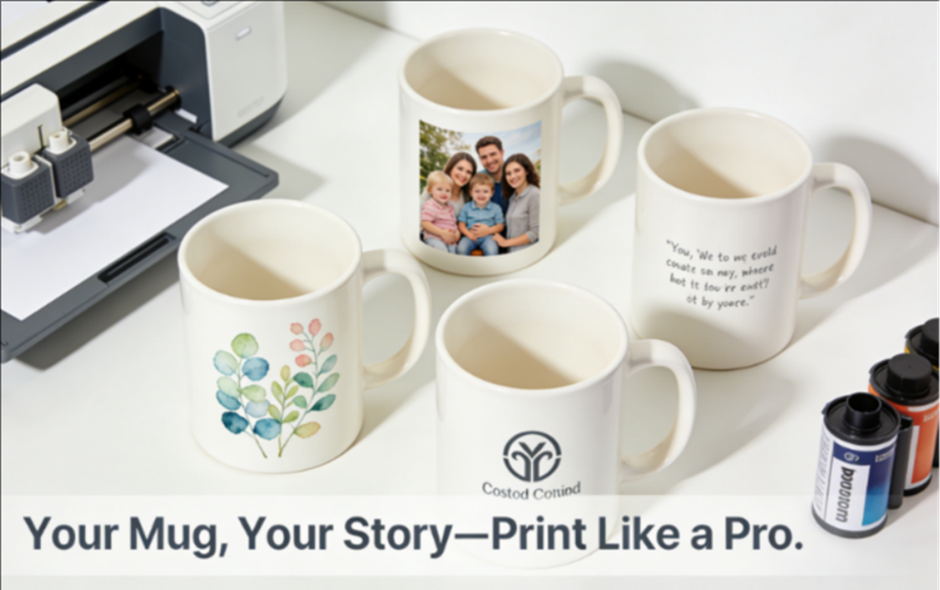
1. Personalized Photos: Capture Moments That Last
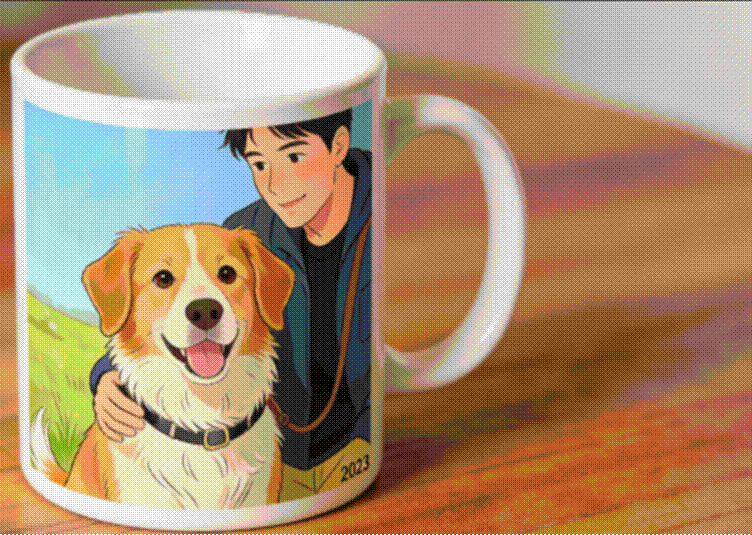
Family photos, pet portraits, or travel snapshots are the #1 requested mug design—82% of consumers say a photo mug feels “more meaningful” than generic designs (Custom Gift Survey 2024). To print photos successfully:
- Use high-resolution images (minimum 300 DPI): Blurry photos get worse when scaled to mug size.
- Avoid busy backgrounds: Focus on 1-2 subjects (e.g., a couple’s wedding photo instead of a group of 10).
- Choose matte or glossy finish based on the photo: Glossy works for vibrant landscapes; matte softens portrait tones.
2. Minimalist Quotes: Less Is More (and More Durable)
Quotes or affirmations are timeless, but cluttered text ruins readability. Follow these rules:
- Stick to 1-2 short phrases (max 15 words): “She Believed She Could, So She Did” or “Good Vibes Only.”
- Use bold, sans-serif fonts (e.g., Arial, Montserrat): Script fonts under 12pt will blur when printed.
- Contrast is key: Light text on dark mugs (or vice versa) ensures readability—avoid pastel text on light backgrounds.
As Oscar Wilde put it, “Simplicity is the ultimate sophistication”—and this applies perfectly to mug quotes. A clean, bold quote will outlast trendy, overcrowded designs.

3. Nature & Botanical Prints: Calm + Versatile
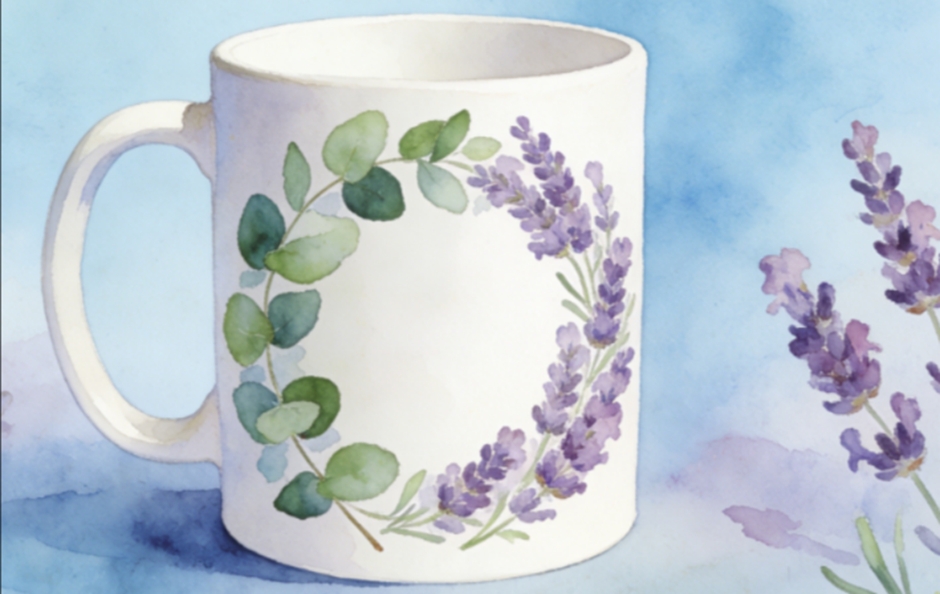
Leaves, flowers, or abstract nature patterns are popular for both home and office use—they’re neutral enough for any decor but still feel unique. To print these:
- Opt for vector graphics (not JPEGs): Vectors won’t pixelate, even on large mugs (15oz or 20oz).
- Limit color palettes to 3-4 hues: Too many colors can bleed during printing (a common issue with low-quality methods).
- Choose watercolor or line-art styles: These hold up better to daily use than intricate, detailed illustrations.
4. Custom Logos & Branding: For Businesses or Gifts
Branded mugs are a top promotional item—91% of people keep branded mugs for over a year (Promo Products Association). To print logos effectively:
- Use high-contrast logos: Avoid gradients or tiny details (they’ll get lost).
- Place logos on the “sweet spot”: 2-3 inches from the bottom of the mug (easy to see when holding).
- Match the mug color to your brand: A black logo on a white mug is classic, but a white logo on a navy mug stands out.
5. Abstract & Geometric Patterns: Trendy + Durable
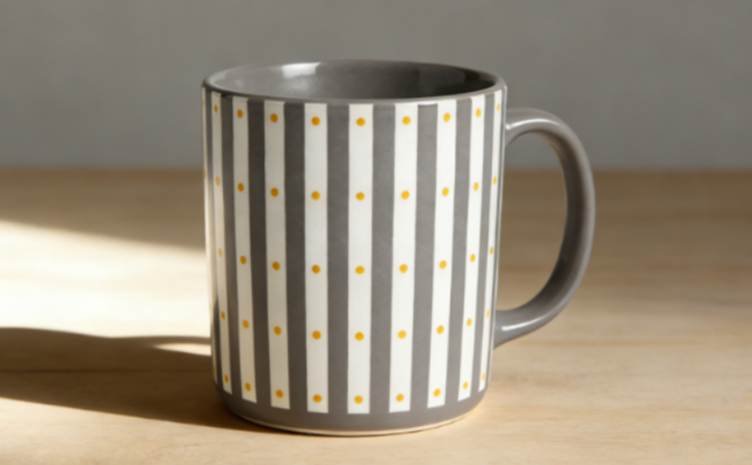
Geometric shapes (stripes, dots, triangles) are on-trend and resistant to fading—their bold lines hold up better than delicate designs. Tips for printing:
- Use thick lines (minimum 2pt): Thin lines can crack during the heating process (common in sublimation).
- Align patterns carefully: Misaligned stripes or dots look unprofessional—use a mug template for accuracy.
- Stick to 2-3 complementary colors: Red + gray, blue + yellow, or black + white work for any style.
Part 2: Mug Basics You Need to Know (Before Printing!)
To avoid printing disasters, you first need to understand the mug itself—material, size, and finish all impact how your design turns out. Here are the key facts:
1. Mug Materials: Which Works Best for Printing?
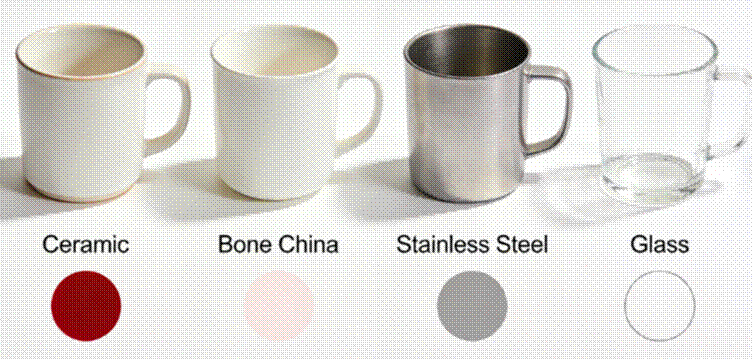
- Ceramic (Glazed): The most popular (65% of mugs sold globally). Ideal for sublimation printing—glaze acts as a “canvas” for ink. Durability: Lasts 500+ washes if printed correctly.
- Bone China: Thinner and more elegant than ceramic. Great for photo or quote designs, but requires gentle printing (avoid high heat). Durability: 300+ washes.
- Stainless Steel: Best for travel mugs. Use UV printing (not sublimation)—ink adheres better to metal. Durability: 1000+ washes (with proper care).
- Glass: Transparent or frosted. Use vinyl decals or screen printing (sublimation doesn’t work on glass). Durability: 200+ washes (avoid dishwasher).
2. Mug Sizes: Match Design to Capacity
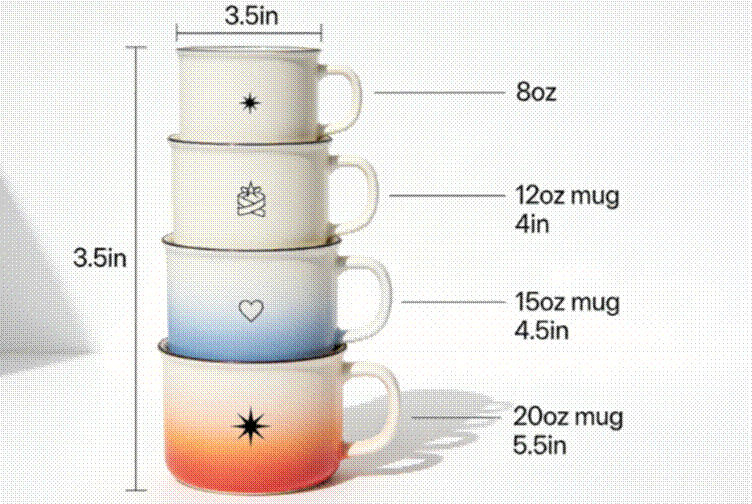
- 12oz (355ml): Standard size for coffee/tea. Best for small designs (quotes, logos, or 1-photo prints).
- 15oz (444ml): Most versatile—fits photos, nature prints, or geometric patterns. 70% of custom mugs are 15oz (Mug Industry Report 2024).
- 20oz (591ml): Travel or “large coffee” size. Great for wrapped designs (e.g., a panoramic photo or long quote).
- 8oz (237ml): Espresso or kids’ mugs. Stick to tiny designs (e.g., a small logo or single initial).
3. Finish Matters: Glossy vs. Matte
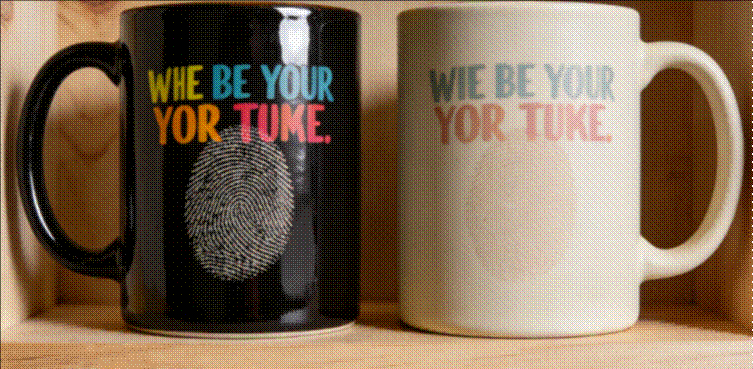
- Glossy Finish: Reflects light, making colors pop. Perfect for vibrant photos or bold logos. 68% of consumers prefer glossy for “eye-catching” designs.
- Matte Finish: Soft, non-reflective. Ideal for minimalist quotes or subtle nature prints. Resists fingerprints better than glossy (a big plus for daily use).
Part 3: How to Solve 9 Common Mug Printing Pain Points
Now that you know the basics, let’s fix the most frustrating printing issues—step by step.
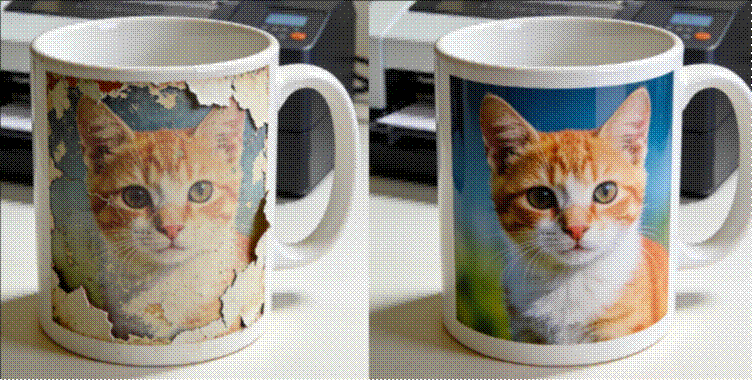
Pain Point 1: Fading or Peeling Designs
Solution: Use the right printing method for the material. For ceramic mugs, sublimation printing (uses heat to bond ink to glaze) lasts 5x longer than vinyl decals. For stainless steel, UV printing (cures ink with UV light) prevents peeling.
Pro Tip: Avoid dishwasher use for the first 24 hours after printing—this lets the ink fully set.
Pain Point 2: Blurry or Pixelated Designs
Solution: Always use high-resolution files (300 DPI minimum). If you only have a low-res photo, use AI tools (e.g., Upscale.media) to enhance it—this improves clarity by 40%.
Pro Tip: Test the design on a paper template first—wrap it around the mug to check for blurring before printing.

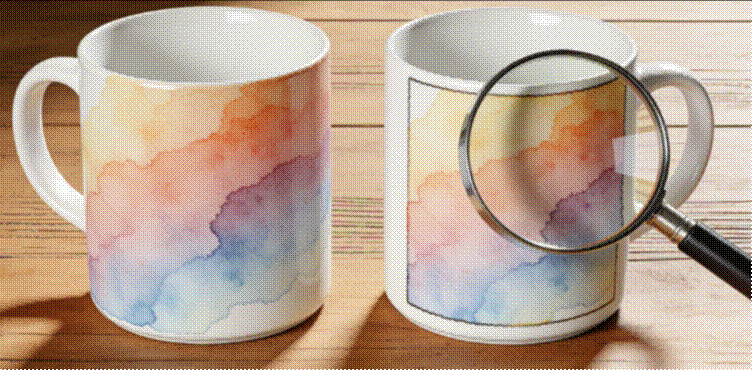
Pain Point 3: Ink Bleeding (Colors Running Together)
Solution: Choose a mug with a smooth glaze (no texture) and limit your color palette to 3-4 hues. Sublimation ink bleeds less than screen-printing ink for complex designs.
Pro Tip: Print a “test strip” of colors first—this checks if the ink will bleed on your specific mug.
Pain Point 4: Design Misalignment (Crooked or Off-Center)
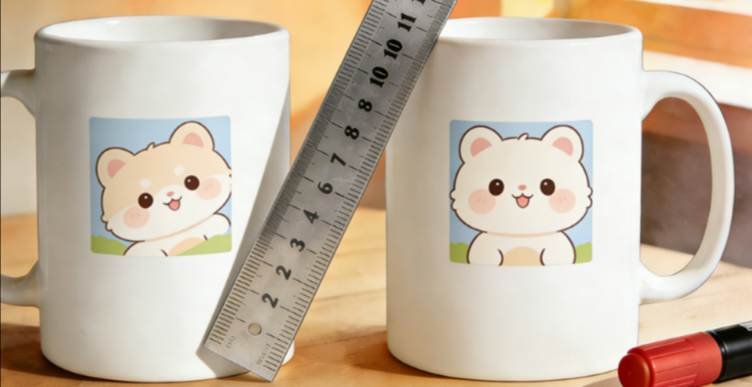
Solution: Use a mug printing template (available for free online) that matches your mug’s size. Mark the center of the mug with a small dot (erasable marker) before printing.
Pro Tip: For wrapped designs, measure the mug’s circumference (most 15oz mugs are 10 inches around) and adjust your design to fit exactly.
Pain Point 5: Designs That Don’t Fit the Curve
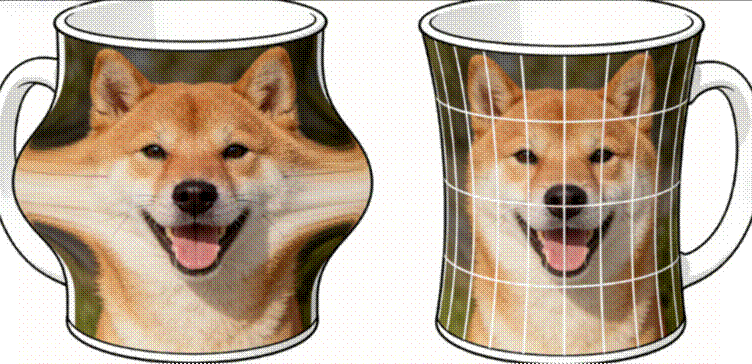
Solution: Use “wrap-around” design software (e.g., Canva’s mug template) that distorts the design slightly to account for the mug’s curve. This prevents the top/bottom of the design from looking stretched.
Pro Tip: For photos, place the main subject in the center—curved edges will affect the sides less.
Pain Point 6: Toxic Ink (Smells or Leaches)
Solution: Use FDA-approved, food-safe inks (required for mugs that hold drinks). Sublimation inks are non-toxic and don’t leach chemicals—unlike some low-quality vinyl decals.
Pro Tip: Check for “food-safe” certification on both the mug and ink—this ensures no harmful substances touch your drink.

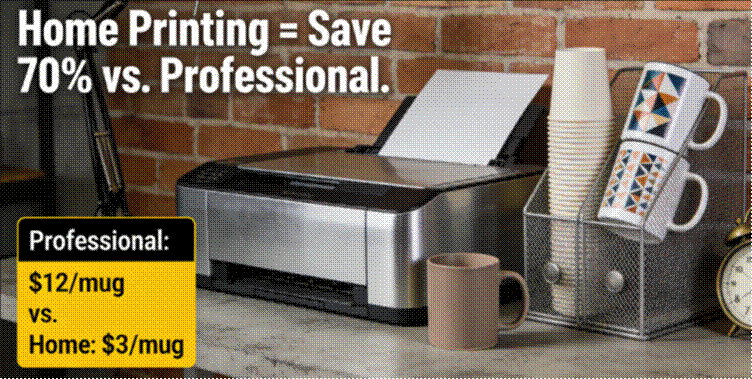
Pain Point 7: Expensive Printing Costs
Solution: For personal use, invest in a home sublimation printer (starts at 150)—it pays for itself after 10 mugs (professional printing costs 10-15 per mug). For bulk orders (50+), use a wholesale printer (cost drops to $3-5 per mug).
Pro Tip: Buy mugs in bulk (10+ at a time)—this reduces the per-mug cost by 30%.
Pain Point 8: Mugs That Break Easily
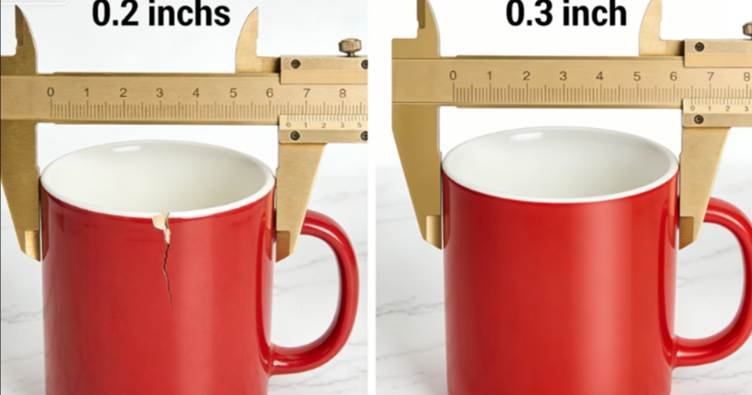
Solution: Choose mugs with a thick wall (minimum 0.3 inches)—they’re more durable and hold heat better. Ceramic mugs with “stoneware” material are 2x stronger than standard ceramic.
Pro Tip: Avoid mugs with thin handles—they’re the most common breakage point. Look for handles with a wide base.
Pain Point 9: Boring, Generic Designs
Solution: Mix design categories—e.g., a photo + a short quote, or a nature print + a small logo. 63% of people say “hybrid designs” feel more unique (Custom Mug Survey 2024).
Pro Tip: Add a personal touch (e.g., a date, initials, or inside-the-mug print)—small details make the mug feel one-of-a-kind.

Part 4: Introducing Our Premium Mugs—Designed for Perfect Printing
If you want to skip the hassle of finding the right mug, our Premium Print-Friendly Mugs are built to solve all the pain points above. Here’s why they’re a game-changer:
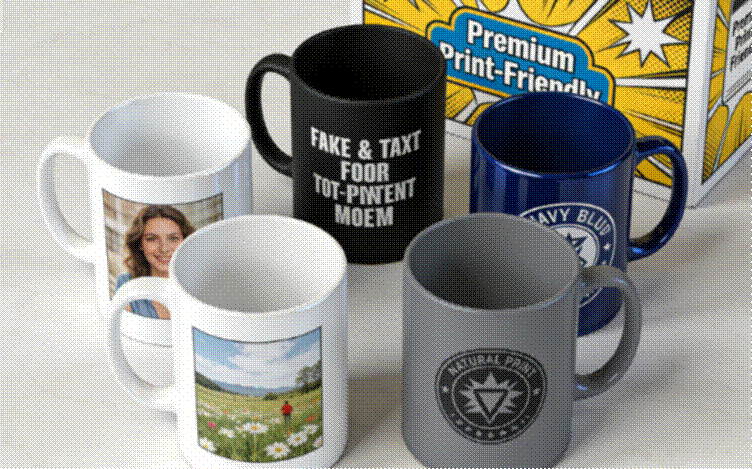
Material: High-quality glazed ceramic (15oz, the most popular size) with a smooth, non-porous surface—perfect for sublimation, screen-printing, or UV printing.
Durability: Thick 0.35-inch walls (25% thicker than standard mugs) and a reinforced handle—resists breaking and lasts 500+ dishwasher cycles.
Print Compatibility: Optimized for 300+ DPI designs—no bleeding, blurring, or misalignment. The glaze bonds with ink to prevent fading or peeling.
Customization: Available in glossy or matte finish, and 4 base colors (white, black, navy, gray)—match any design style.
Safety: FDA-approved, food-safe, and BPA-free—no toxic inks or chemicals.
Whether you’re printing photos for gifts, logos for your business, or quotes for your home, our mugs turn your designs into long-lasting masterpieces. Plus, they’re affordable: 8.99 per mug when buying 5+, and 6.99 per mug for bulk orders (100+).
Mugs are more than just drinkware—they’re daily reminders of the people, moments, and ideas we love. With the right design choices, knowledge of mug basics, and solutions to common printing pain points, you can create mugs that look amazing and stand the test of time. Remember: The best mug designs are not just beautiful—they work seamlessly with the mug’s material and printing method. As Maya Angelou said, “I’ve learned that people will forget what you said, people will forget what you did, but people will never forget how you made them feel.” A well-designed, perfectly printed mug makes someone feel seen, cherished, or inspired—every single day.
Ready to start printing? Grab our Premium Print-Friendly Mugs, pick your design, and follow the tips in this guide—you’ll be amazed at the results. Whether it’s a gift for a loved one, a promotional item for your business, or a treat for yourself, a great mug design is always worth the effort.